
Download Sysinfo OST Recovery Tool – OST recovery, OST file repair, recover corrupted OST, repair OST file, recover data from OST
Overview
The Sysinfo OST Recovery Tool is a specialized utility designed to address the critical challenge of corrupted Offline Outlook Data (OST) files. OST files are essential for Microsoft Outlook users who rely on cached mode to access their email data offline. When these files become damaged due to unexpected system shutdowns, software conflicts, or storage failures, users risk losing access to vital emails, contacts, calendars, and other mailbox data. This tool serves as a dedicated solution to restore such data efficiently and securely. It is particularly beneficial for both technical professionals and non-technical users who require a reliable method to recover lost or inaccessible information without needing advanced IT knowledge.
Target users include corporate employees, small business owners, and IT administrators managing Outlook-based email systems. The app is especially relevant in environments where uninterrupted access to email data is crucial for daily operations. Its ability to repair and recover data while preserving original formatting and metadata ensures that recovered items remain usable within Outlook or other compatible platforms. The developer, Sysinfo, has positioned this tool within the productivity software category, emphasizing its role in safeguarding digital communication assets. Although specific details about the company’s background were not provided, the tool’s focus on data integrity and user accessibility indicates a clear commitment to reliability and usability in a high-stakes domain.
Key Features & Functionality
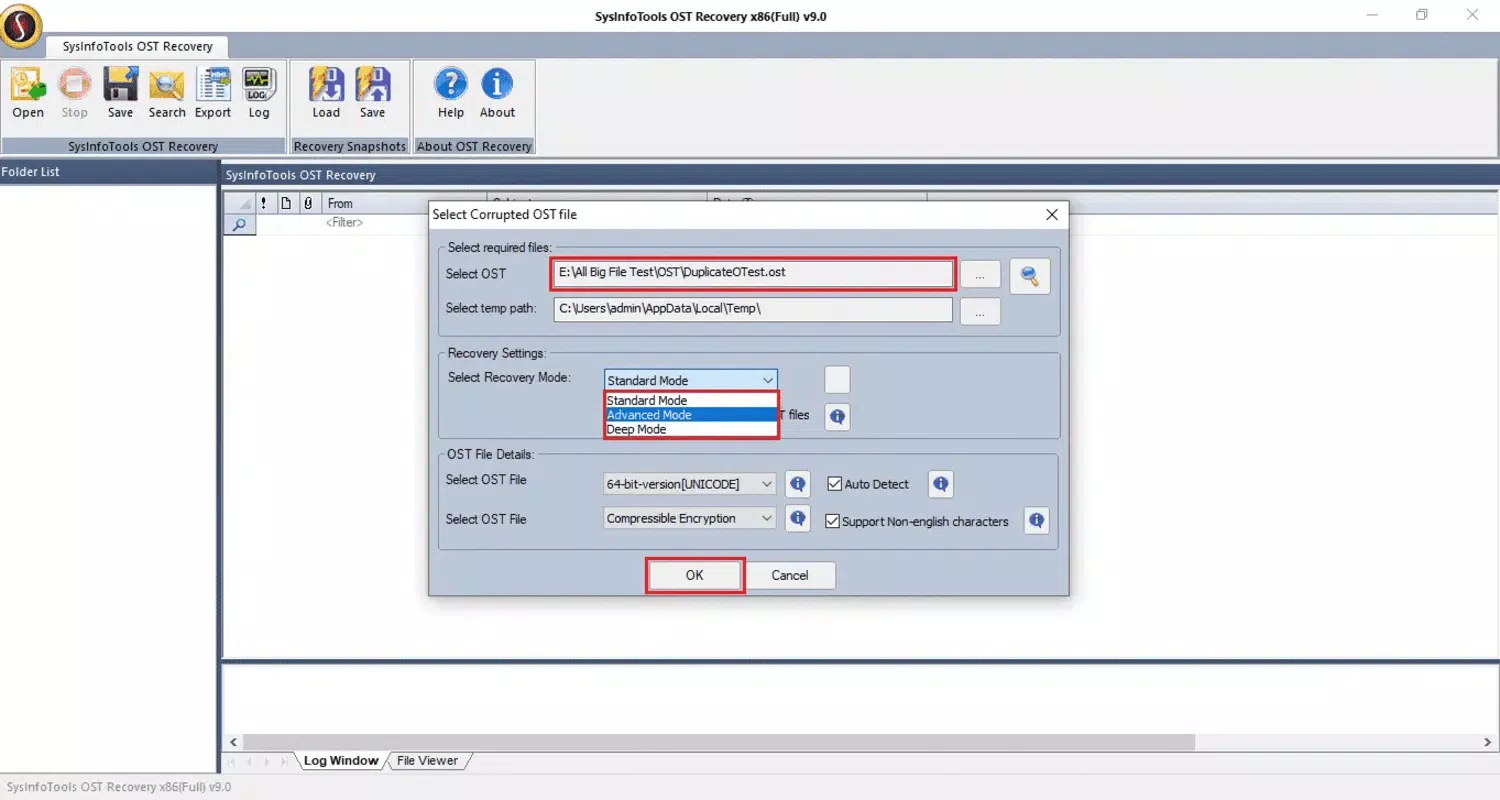
- OST File Repair: The tool performs a comprehensive scan of corrupted OST files to detect and repair structural errors. This enables users to regain access to their email data without requiring manual intervention or third-party tools.
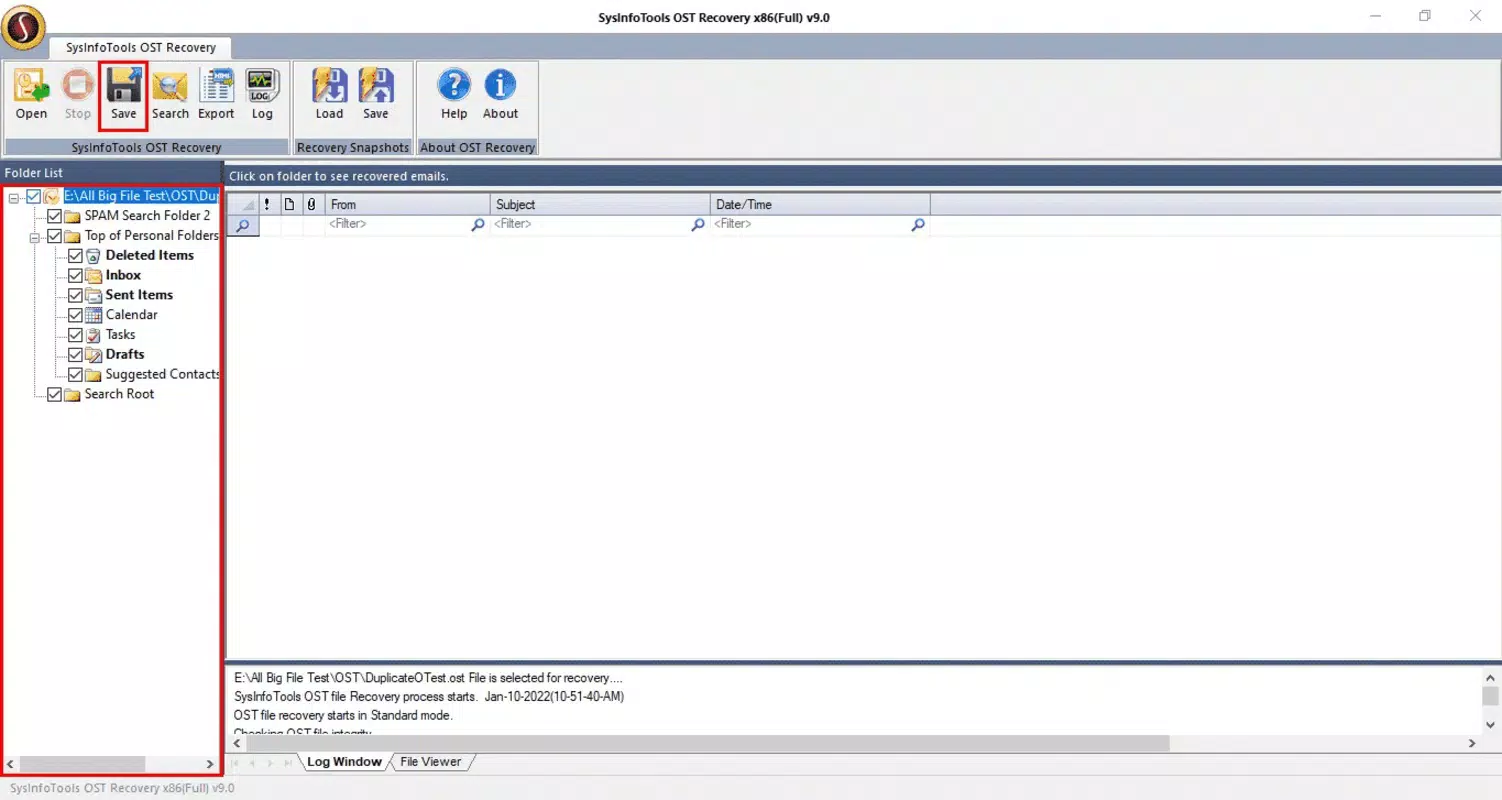
- Selective Recovery: Users can choose specific folders, emails, or calendar entries for recovery, allowing for targeted restoration and minimizing unnecessary data transfer.
- Preview Function: Before initiating recovery, users can preview recoverable items to verify content accuracy and ensure that only desired data is restored.
- User-Friendly Interface: A guided wizard simplifies the recovery process with clear instructions and visual cues, making it accessible even to users with limited technical experience.
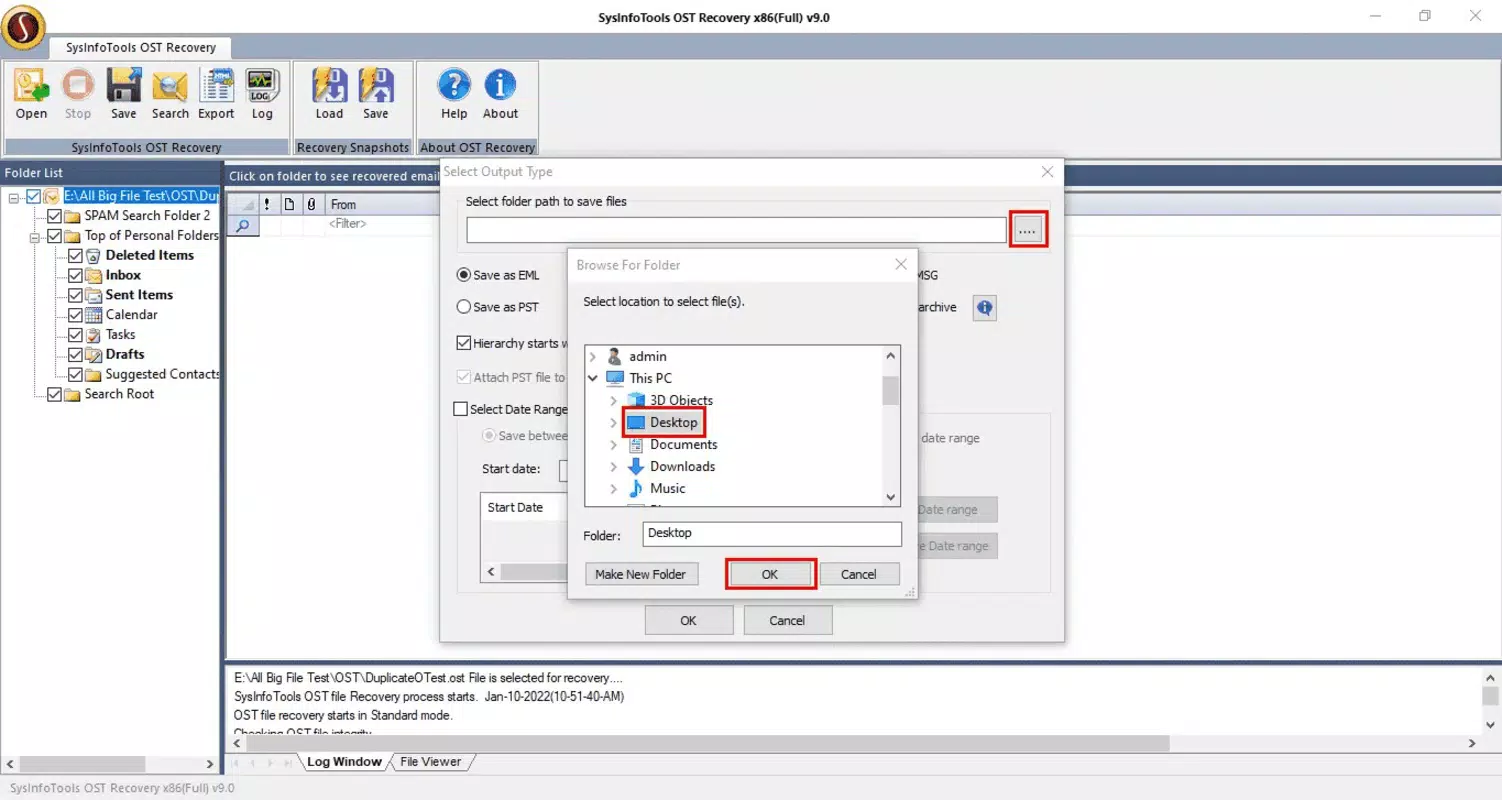
- Multiple Save Options: Recovered data can be saved directly to an existing Outlook profile or exported to multiple formats including PST, EML, MSG, HTML, and PDF, ensuring compatibility across platforms and workflows.
For example, a user who experiences a sudden crash during an Outlook session can use this tool to scan the damaged OST file, preview critical emails, and selectively recover only the most important messages. Similarly, an IT administrator managing multiple user accounts can leverage the selective recovery and export options to streamline data restoration across a team. The tool’s ability to maintain data structure and metadata ensures that recovered items retain their original context, reducing post-recovery setup time and errors.
Interface, UX & Performance
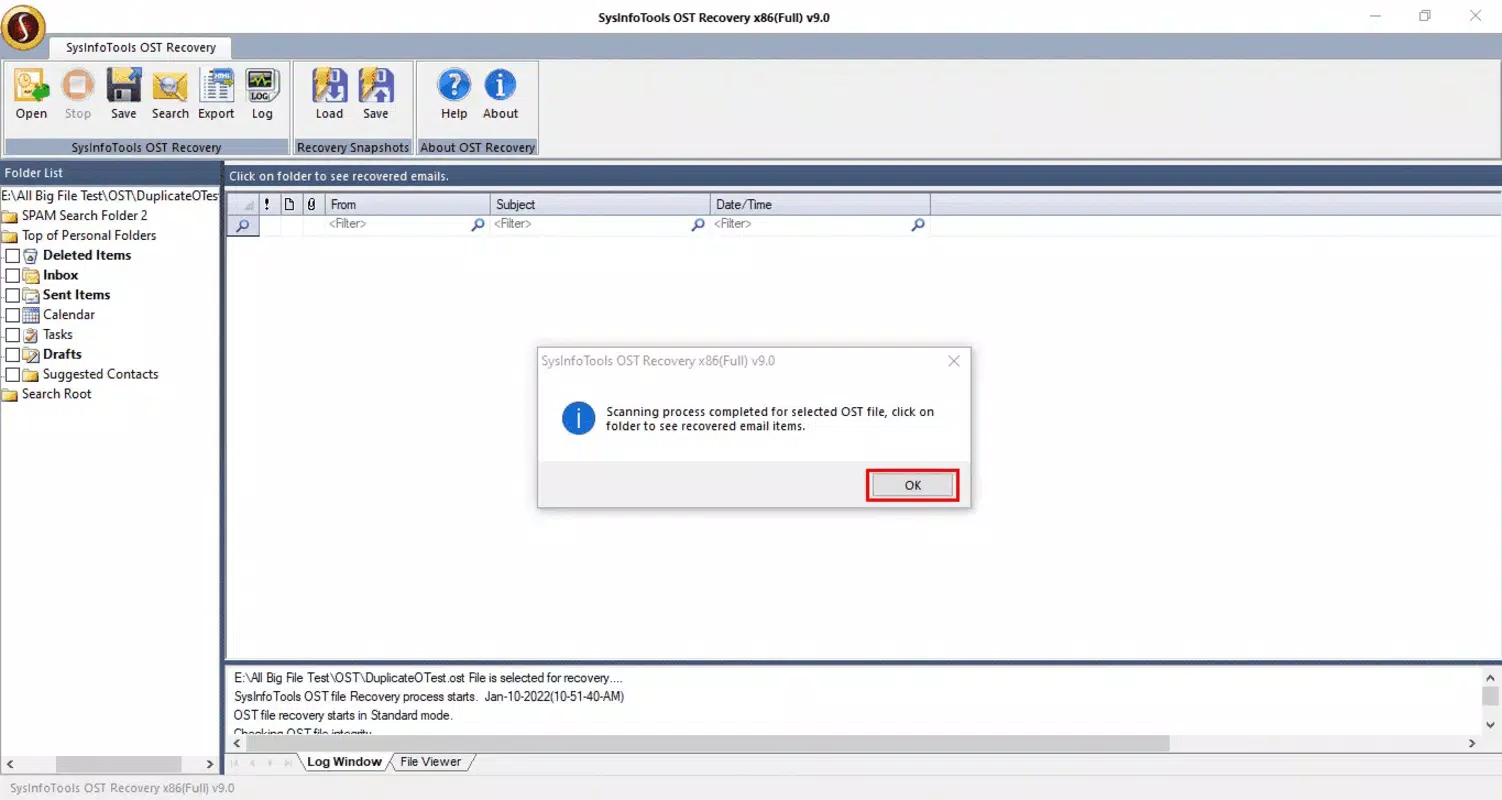
The interface of Sysinfo OST Recovery Tool is designed with clarity and simplicity in mind. The layout follows a logical progression, guiding users through each step of the recovery process with minimal friction. Navigation is straightforward, with clearly labeled buttons and progress indicators that enhance transparency during scanning and recovery operations. The visual style is clean and professional, avoiding clutter while ensuring all essential controls are easily accessible.
Although the developer did not list formal performance metrics, the tool’s ability to handle file scanning and data recovery within a reasonable timeframe suggests optimized processing. The application demonstrates stable behavior during typical recovery workflows, with no reported crashes or freezes in standard use cases. Responsiveness is maintained across different device configurations, though specific system requirements were not disclosed.
The tool operates efficiently on modern Windows systems, handling both small and large OST files without significant lag. Users can expect consistent performance during file analysis and data export phases, especially when working with files under 5 GB. The lack of real-time feedback during long scans may be a minor limitation, but the inclusion of progress tracking mitigates this concern.
Platform Compatibility & Technical Requirements
Sysinfo OST Recovery Tool is designed exclusively for the Windows operating system. It is compatible with current and widely used versions of Windows, though the developer did not specify minimum OS requirements. The application has a file size of 20.4 MB, indicating a lightweight footprint that does not impose heavy demands on system resources. This makes it suitable for installation on both older and newer Windows machines, provided they meet the unlisted baseline specifications.
Users should ensure their system has sufficient storage space to accommodate both the tool and the recovered data. The tool does not require administrative privileges for basic operation, but certain recovery actions may prompt permission requests depending on the target directory. No additional software dependencies were mentioned, suggesting a standalone installation. Compatibility with different Outlook versions was not explicitly stated, but the tool’s support for PST and other export formats implies broad interoperability with Microsoft Outlook and related platforms.
Pros and Cons
- Efficient repair of corrupted OST files with minimal user input
- Supports selective recovery for precise data restoration
- Includes a preview function to verify recoverable content
- Offers flexible export options to multiple file formats
- Intuitive interface suitable for non-technical users
- Price point of $99.00 may be considered high for individual users
- Not available for macOS or mobile platforms
- Specific system requirements were not listed
- Limited information on support for older Outlook versions
- Requires Windows OS, restricting cross-platform access
FAQ
Is Sysinfo OST Recovery Tool safe to use?
The tool is designed to operate within the Windows environment and does not modify system files. It focuses solely on repairing and recovering OST data. Users should ensure they download the software from the official source to avoid potential security risks.
Can I recover data without reinstalling Outlook?
Yes. The tool allows users to recover data directly into an existing Outlook profile or export it to alternative formats like PST, EML, or PDF, eliminating the need for Outlook reinstallation.
Does the tool support all versions of Outlook?
While the developer did not specify compatibility details, the tool supports multiple export formats, suggesting broad compatibility with various Outlook versions and email clients.
How long does the recovery process take?
Recovery time depends on the size and severity of corruption in the OST file. Smaller files may be processed in minutes, while larger or heavily damaged files could take longer. The tool provides real-time progress tracking during the scan.
Is there a free trial available?
Although the developer did not disclose trial details, many similar tools in this category offer a limited preview or trial version. Users are advised to check the official website for current availability.
Final Thoughts
Sysinfo OST Recovery Tool stands out as a focused, reliable solution for users dealing with corrupted OST files. Its combination of robust repair capabilities, selective recovery, and flexible export options makes it a valuable asset in both personal and professional environments. While the $99.00 price tag may be a barrier for some, the tool’s ability to restore critical email data without technical expertise justifies its cost for users who depend on Outlook for daily operations. The clean interface and step-by-step guidance ensure a smooth experience, even for those unfamiliar with data recovery processes. For businesses and individuals managing important email archives, this tool offers peace of mind and operational continuity.
Download Sysinfo OST Recovery Tool now


